FaithSow
How to Finish Shared Reading with Bedtime Mode in FaithSow
After reading a Bible story together, FaithSow's web bedtime closeout can move through an on-screen breathing prompt, a goodnight page and a return Home. The breathing prompt changes automatically and can advance to the goodnight page when it finishes; Say goodnight is the manual shortcut shown below. Select Good night on that page to return Home. The bedtime timer is a separate setting.
1 Follow the on-screen prompt after shared reading
If a story you can access offers Bedtime Mode and Continue, use those options to enter the closeout after shared reading. The screens below begin at the breathing prompt; the path to it may differ with the story and your reading progress.
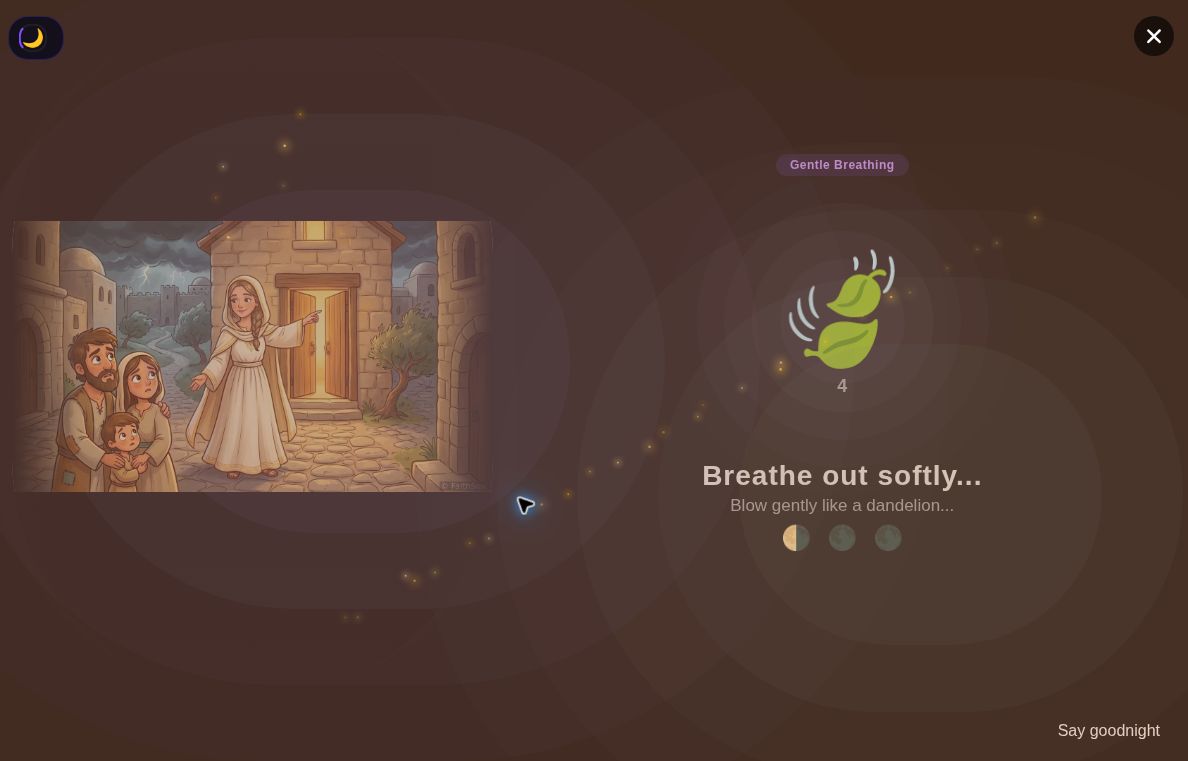
The first screenshot shows Gentle Breathing. At this moment, the prompt reads Breathe out softly... with the smaller line Blow gently like a dandelion... The breathing cue changes automatically on screen. The session also displayed Breathe in slowly... with Imagine smelling a beautiful flower... This screenshot records the outward-breath cue, not the full sequence or a fixed duration.
Read the prompt together if you choose, and keep the focus on a shared ending to the story. The moving prompt is not evidence that the app has finished the closeout. While the breathing prompt is in progress, Say goodnight at the bottom right lets you skip the remaining prompt.
2 Select Say goodnight to reach the goodnight page
When you are ready to move on sooner, select Say goodnight on the prompt screen. This skips the remaining breathing prompt and opens the goodnight page; the prompt can also advance there automatically when it finishes.
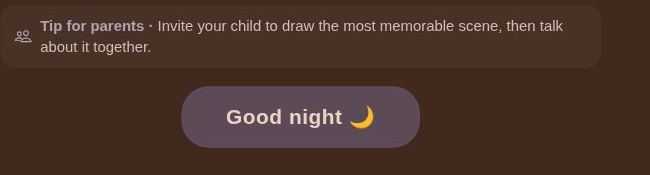
The next page includes a goodnight blessing, a parent tip, the EnEn character, and a Good night button. The blessing is a farewell message, not a Bible quotation. The image below focuses on the parent tip and Good night button. Say goodnight and Good night are different labels on different screens, so do not treat them as the same step.
Can you simply wait for the prompt to finish instead? The breathing flow can advance automatically when it finishes. The screenshots document the manual route through Say goodnight, not an unattended-session test. If you use that action, check that the goodnight page has appeared.
Before moving on, check which page you are on. The prompt screen offers Say goodnight; the goodnight page offers Good night. Recognizing the different labels makes the final return easier to follow together.
3 Select Good night and check the return Home
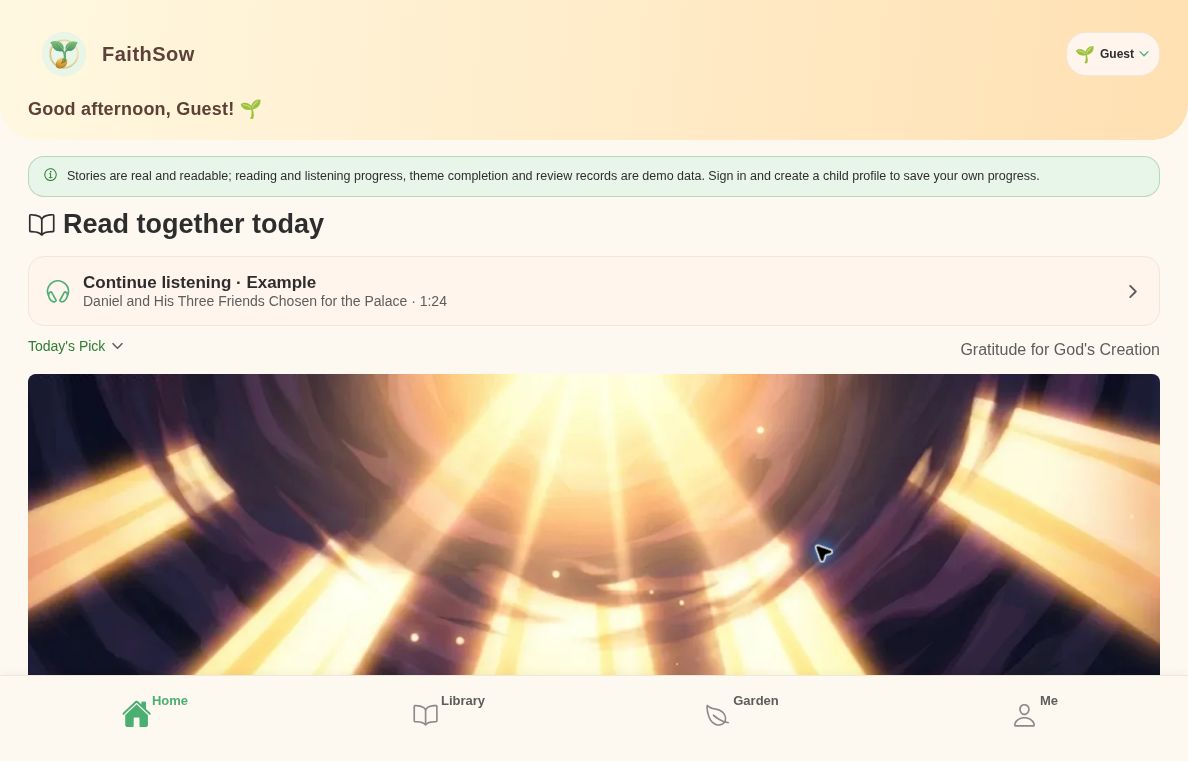
On the goodnight page, select Good night to return to the main screen. Home is highlighted in the bottom navigation. Returning Home does not close FaithSow.
The screen still shows Guest. Its banner explains that reading and listening progress, theme completion and review records are demo data in this mode. To save your family's own progress, sign in and set up a child profile.
The bedtime timer is a separate setting. These goodnight steps do not set a duration, and returning Home alone does not tell you whether audio has stopped.